







|
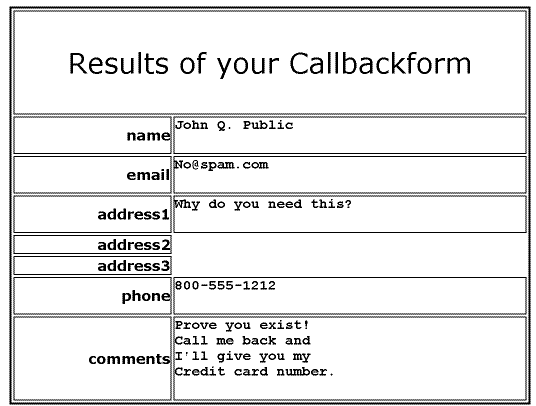
Callbackform is a hosted service for form processing. Now when a customer or prospect visits your website and submits information, it can be instantly delivered by Telephone call or Fax printout. So you can respond to business opportunities or customer requests as soon as you want, including an immediate callback! It is really simple! Just have the html form on your web form pointed at our server. Data from all fields are read by a state-of-the-art voice (click on the phone for a demo) or printed on your fax machine (click on the fax for an image). You also get an email copy as backup. You can use any HTML editor (Frontpage, Pagemill, Dreamweaver, etc) to create forms for contact, billing, ordering, polling, customer support, etc. See our DEMOS Page. You can do field validation in javascript for high volume applications. Callbackform works without revealing your phone number to solicitors, or your email address to spammers. It uses a random 'key' (see setup page) which encodes the phone number and responsible Thinmail account email address. A callbackform will only operate when uploaded to your website (It won't work from your PC.) You may make multiple keys for multiple websites and different department phone and fax numbers. |
|
|
| <FORM ACTION="http://www.thinmail.com/cgi-bin/callback" ENCTYPE="x-www-form-urlencoded" METHOD="POST"> | REQUIRED, to start the HTML form. Use HTTPS for security, |
| <INPUT TYPE="hidden" NAME="key" VALUE="1234567"> | REQUIRED, this key encodes your email, phone, and website. |
| <INPUT NAME="submit" TYPE="submit" VALUE="Contact me!"> | REQUIRED to make the form work |
|
|
| <INPUT NAME="name" TYPE="text" SIZE="25"> | Get their name |
| <INPUT NAME="phone" TYPE="text" SIZE="15"> | Get their phonenumber |
| <INPUT NAME="email" TYPE="text" SIZE="25"> | Get their email |
| <SELECT
NAME="timing"> <OPTION VALUE="Immediately" SELECTED>ASAP <OPTION VALUE="Today">Today <OPTION VALUE="This week">This week </SELECT> |
Give them an option of when you should callback. |
| <TEXTAREA NAME="comment" ROWS="4" COLS="20"></TEXTAREA> | Get a general comment |
| <SELECT
MULTIPLE SIZE="3" NAME="interests"> <OPTION VALUE="Robots" SELECTED>Robots <OPTION VALUE="Software">Software <OPTION VALUE="Brains">Brains </SELECT> |
Find out which products are of interest |
|
|
|
<INPUT TYPE="hidden" NAME="bgcolor" VALUE="#000000"> <INPUT TYPE="hidden" NAME="fgcolor" VALUE="#ffffff"> <INPUT TYPE="hidden" NAME="successtext" VALUE="Thanks for contacting us, we will call you shortly."> <INPUT TYPE="hidden" NAME="failuretext" VALUE="Sorry, there is a configuration error."> |
After submitting the form, the user lands on a success or failure page. These optional hidden parameters override the generic defaults to control the colors and the text. |
|
|
| </form> | This ends the form |